Using Tasks
Task Status
Tasks are either doing, waiting, postponed to a future date, or done:
The /done command marks the task as done. Use it to complete tasks.
The /start [date] command makes the task postponed to a future date, like any to-do app.
It’ll appear under that date in the taskboard.
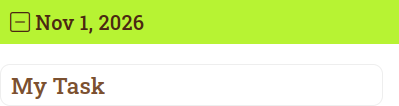
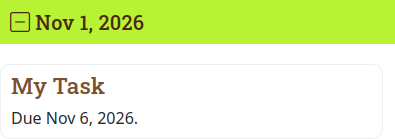
You can also combine /due [date] and /est [duration] which counts days backward to set the start date.
Use these to schedule your tasks.
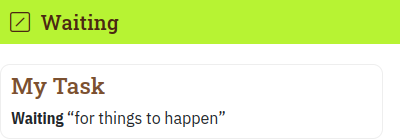
The /waiting command moves the task into the waiting section of the dashboard (if it’s not postponed), so you’re off the hook until the task is ready to start.
The taskboard shows what’s typed around the command so you know what you’re waiting for.
Otherwise, the task is doing.
Besides typing these commands, you can also access them in the drop-down menu at the top-left of the task.
Chaining Tasks (Task Dependencies)
Using sub-tasks and /after [task] commands, you can link the status of tasks together:
Adding a sub-task or an /after [task] whose status is doing or waiting makes the task waiting too.
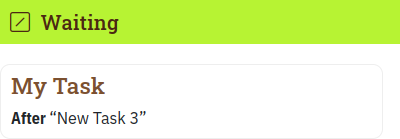
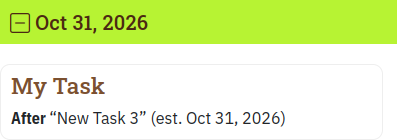
A task is automatically postponed until after the last estimated end date of a sub-task or /after [task] so it’s on your schedule for when it’s back in your court.
How Postponed Works
Tasks are postponed in the taskboard to their estimated start date if it is in the future. A task’s estimated start date is the latest of:
- A /start [date] command.
- A /due [date] date minus an estimated duration using the /est [duration] command.
- The estimated start date or estimated end date of any sub-task or /after [task], if it isn’t done.
If a task has an /est [duration] command giving the task’s estimated duration:
- The task’s estimated end date is computed from its estimated start date (see above), or the date it was created if it has no estimated start date, plus the /est [duration].
If a task has a /due [date] command but no /est [duration] command:
- The /due [date] is used as the task’s estimated end date.
Tasks that have both an estimated start date and an estimated end date will appear in the taskboard’s Gantt chart with its estimated start and estimated end dates.
A task’s estimated end date (or its estimated start date if it does not have a estimated end date) affects the estimated start date of tasks that are postponed by the task, i.e., because of an /after [task] command in the other task or because the task is a sub-task of the other task.